ReefGPT
Sign in
FOR APEX & TRIDENT OWNERS

The reef assistant that has already read your tank.

ReefGPT pulls readings from your Apex and Trident, grades every parameter five ways, and answers questions from your own numbers, livestock and notes.

9parameters graded, from your Apex or a test kit
5checks on every one
0Fusion passwords shared with us
DISPLAY 40G · SAMPLE TANK
WARNING· STABILITY 76/100 · 1 ISSUE · 1 RETEST
ALK6.96dKH
CA432ppm
MG1346ppm
NO311.9ppm
PO40.06ppm
PH8.24
TANK CONDITION · WARNINGAlkalinity is 7.0 dKH, below the 7.8-9.5 dKH target
YOUR GEAR

Works with what is already on your stand.

Share your tank with us as view-only in Apex Fusion. Readings arrive on their own, with no typing, and we never see your password.

AUTOMATICNeptune ApexEvery probe: temperature, pH, salinity, ORP. Synced each time you open the app.
AUTOMATICTridentAlkalinity, calcium and magnesium, each test as it lands.
AUTOMATICTrident NPNitrate and phosphate, and a retest prompt when it stops reporting.
AUTOMATICNeptune DOSEvery dose on every head, counted into exact daily totals.
BY HANDTest kitsLog any test in two taps. The nine core parameters are graded exactly like the Apex's; anything else, like potassium, is kept on your dashboard.
NOT YETGHL · HydrosNot supported yet. Tell us which controller you run.
WHAT IT DOES

Four jobs, one tank.

A grade for every parameter, done with arithmetic.

Each reading is checked against your targets, against its own history, and against how noisy the instrument that took it is. No model guesses at whether a number is fine.

Five checks: level, swing, drift, staleness and recovery
Knows a Trident test from a probe, and weights each by its noise
Asks for a retest when a reading gets old, instead of trusting it
How grading works
Tank Condition
WARNING
Stability Score
76/100
97% confidence
1 issue · 1 retest
Alkalinity is 7.0 dKH, below the 7.8-9.5 dKH target
Phosphate hasn't come through from Neptune Trident NP in 8 days. Sync, or check the probe is still reporting.
Sensitivity:4 · Mixed reef, a few SPS
Alkalinity
6.96
Calcium
432
Magnesium
1346
Nitrate
11.9
Phosphate
0.06
tested 8d ago
pH
8.24
IT DOES THE PAPERWORK

Tell it what you bought. It files it.

Mention new livestock, something that happened, or a reminder you want. It checks a new animal against your tank and the species reference, prepares the change, and waits. Nothing is written to your tank until you tap Confirm.

Say only “a blenny” and it asks which one first, because a lawnmower and a tailspot are very different fish.
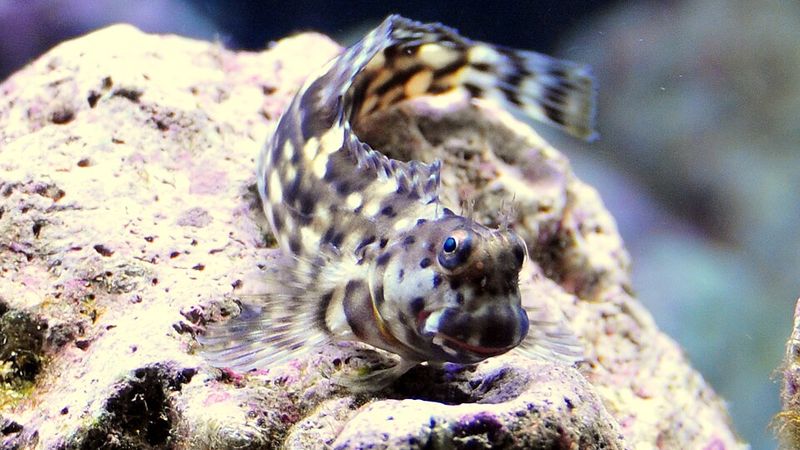
A lawnmower blenny resting on live rock
THE NEW ARRIVAL · SALARIAS FASCIATUS
You
I just got a lawnmower blenny!
WHY IT GETS IT RIGHT

Built to be right about your tank, not just fluent about reefs.

A general chatbot answers from what it absorbed about reefs in general. This one reads your tank first and checks facts against a reference built for the hobby.

01Specialist agents, not one guessEach question goes to the specialist agents it needs: one reads your live readings, one your tank's history, one your equipment, one the reef knowledge base. They report back, and only then is your answer written, with your own numbers in it.
02A curated reef knowledge baseHusbandry guidance written for reefkeeping, plus a reference of 377 species with minimum tank size, adult size, temperament and reef safety. Facts are looked up there, not recalled from whatever a model half-remembers.
03Grades the chat cannot changeTank condition comes from fixed rules, so the same readings always get the same grade. The chat reads that grade and explains it. It cannot invent one, and it cannot talk you out of one.
04Nothing changes without youAnything that writes to your tank, like new livestock, an event or a reminder, is shown to you first and waits for Confirm.

How the agents are coordinated is our own work, so we keep those details to ourselves. What they read is always yours.

CONNECTING YOUR APEX

Three steps, and no password.

You share your tank the way you would with a friend. Our account can look, never touch, and you can remove it from Fusion whenever you like.

1

Share your tank, view-only

At apexfusion.com, open your tank, go to Authorization and click Add User. Add our account with the View access level, never Control, Program or Manage.

APEXFUSION.COM · AUTHORIZATION · ADD USER
apex@reefgpt.net
ViewControlProgramManage
2

Paste your serial into ReefGPT

Copy your tank's Serial from your Apex List page and paste it in. We match your tank by that serial, so two tanks both called “Display” can never be mixed up.

Connect Apex Fusion

ReefGPT never asks for your Apex Fusion password.

AB12:3456
Connect & Sync
3

The first sync fills your dashboard

The first sync takes about 30 seconds. After that, your readings, Trident tests and doses sync each time you open the app, at most every 10 minutes.

Sync finished

Your readings are on the dashboard now. It keeps pulling from your Apex about every 10 minutes while it's open.

Done
CLOSED TRIAL

Put ReefGPT on your tank.

We are letting reefers in a few at a time, Apex owners first. It is free while the trial runs, and there will always be a free tier.

One email when your spot opens. Nothing else.

Livestock photos from Wikimedia Commons: Royal gramma by cello caruso-turiello, CC BY 4.0 · Yellow watchman goby by aquarist.me, CC BY 2.0 · Lawnmower blenny by Denis Cheong, CC BY-SA 4.0 · Hammer coral by harum.koh, CC BY-SA 2.0 · Acropora by Dieter Karner, CC BY 2.0 · Cleaner shrimp by Lonnie Huffman, CC BY 3.0. Cropped. Other photos and the video from Pexels.